Google Play is the hub for apps, games, movies, books, and more on Android devices. With a Google Play Gift Code, you can instantly add balance to your account and enjoy premium content without needing a credit card. Whether you’ve received one as a gift or purchased it yourself, redeeming your google play code is quick and simple. Here’s how you can do it.
Step‑by‑Step Redemption Process
Step 1: Log on to Play Store.
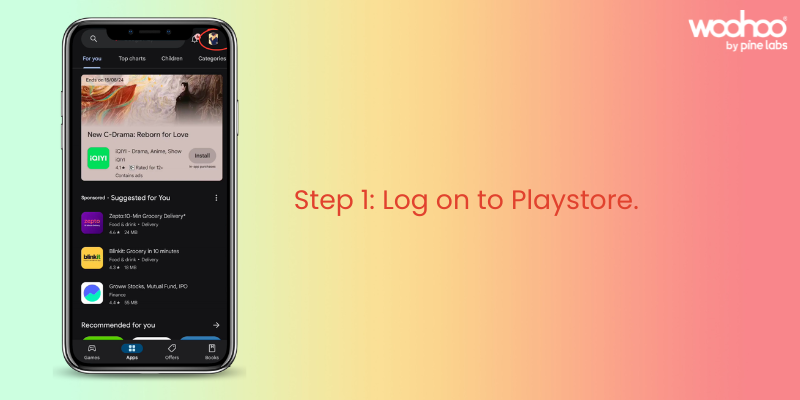
Open the Google Play Store app on your Android device. Tap on your profile icon in the top‑right corner. Make sure you’re signed in to the correct Google account.
Step 2: Click on “Payments and Subscriptions.”
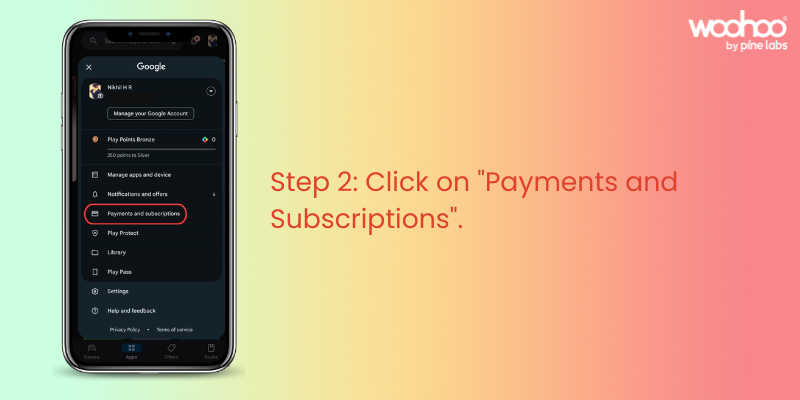
From the menu, select “Payments and Subscriptions.” This section lets you manage payment methods, subscriptions, and redeem codes.
Step 3: Click on “Redeem Code.”
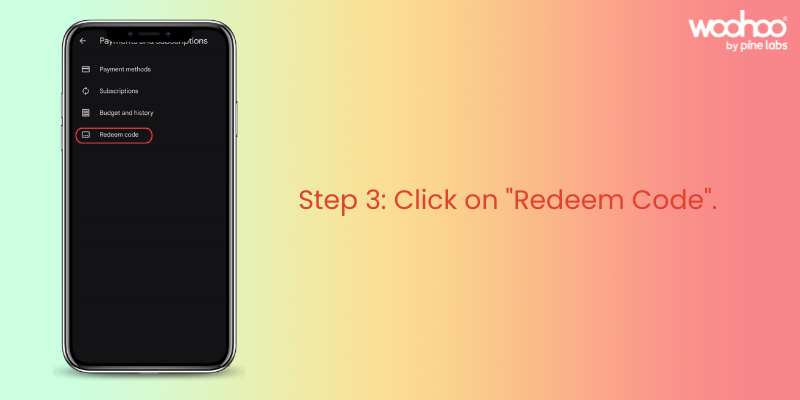
Inside “Payments and Subscriptions,” locate the “Redeem Code” option. Tap on it to proceed.
Step 4: Enter Your Google Play Gift Code.
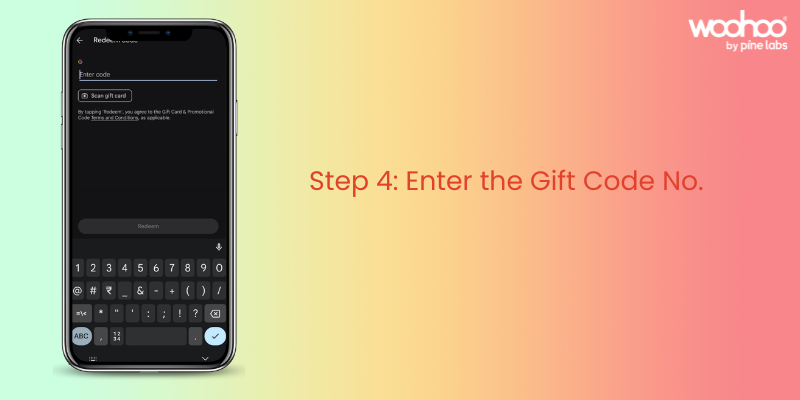
Type in the Google Play Gift Code exactly as shown in your email or Woohoo account. Once entered, tap “Redeem” to apply the balance to your account. Your Google Play balance will be updated instantly.
Woohoo! Your Google Play Gift Code is now ready to use.
Things to Keep in Mind
- Your gift code balance will automatically apply when you purchase apps, games, or other content.
- If your order exceeds the balance, you can pay the remaining amount with another payment method.
- You can check your balance anytime in the “Payments and Subscriptions” section of the Play Store.
- Gift codes are valid as per the terms mentioned at the time of purchase.
FAQs on Google Play Gift Code Redemption
Q: Where do I find my Google Play Gift Code details?
A: The Gift Code is sent via email immediately after purchase. If you purchased through Woohoo, you can also log in to the Woohoo app or website under “Gift Cards” in My Profile to view your code and balance anytime.
Q: Can I use multiple gift codes on one account?
A: Yes, all balances will combine in your Google Play account.
Q: Can I transfer my gift code balance to another account?
A: No, once redeemed, the balance is tied to your Google account and cannot be transferred.
Q: Where can I buy Google Play Gift Codes?
A: You can buy Google Play Gift Codes instantly from Woohoo, India’s largest gift card store.
Woohoo Exclusive Offer
Buying Google Play Gift Codes from Woohoo is fast, convenient, and rewarding. You’ll get your code instantly and can use it right away for apps, games, movies, and more. Plus, Woohoo gives you 4.5% cashback in the form of Woohoo loyalty points. These points can be used to buy gift cards from 300+ brands on Woohoo from fashion and food to travel and lifestyle.
For gamers, this is especially valuable: you can use your Google Play Gift Code balance for in‑app purchases, upgrades, and premium content, while stacking Woohoo loyalty points for future savings across other categories.
Make Entertainment Easy with Google Play Gift Codes
Google Play Gift Codes are the perfect way to simplify digital purchases. Whether you’re gifting or redeeming, the process is quick, easy, and rewarding. Codes can be used on ongoing offers in the Play Store and combined with coupons, giving you extra savings while making your entertainment seamless and convenient.
Get your Google Play Gift Code today on Woohoo and enjoy instant balance plus 4.5% cashback loyalty points for even more rewards.


